What is the IndiePipeline MCP?
The IndiePipeline MCP is a connector for Claude that gives it the power to scan online communities for product opportunities. It searches Reddit, Hacker News, and forums to find pain points, feature requests, and unmet needs - then analyzes them to surface the best ideas for your next project.
Available Tools
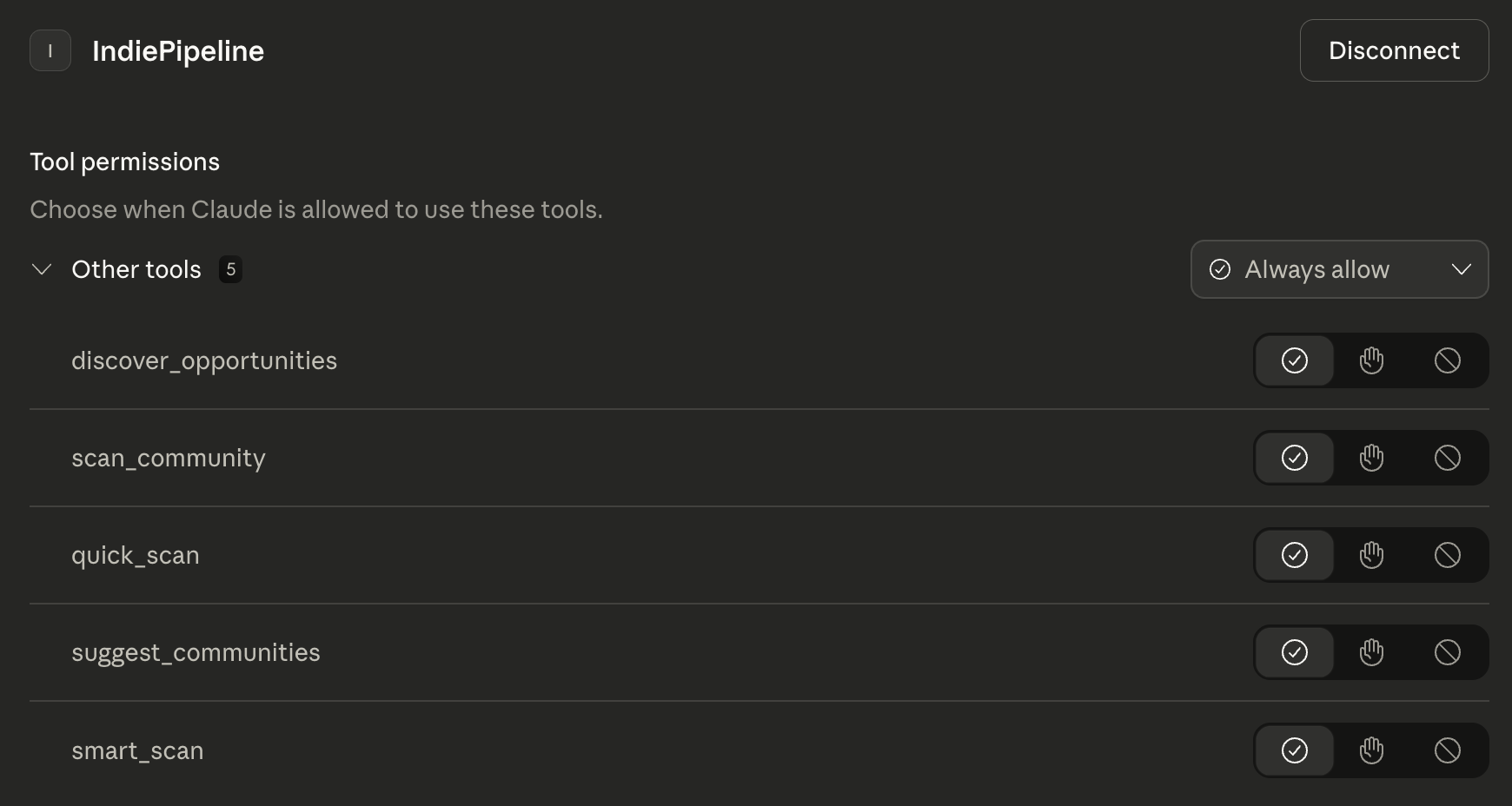
When connected, Claude has access to these IndiePipeline tools:
smart_scanAuto-discover and scan relevant communities for your niche
discover_opportunitiesFull analysis of a niche with scored opportunities
scan_communityDeep dive into a specific subreddit or forum
suggest_communitiesFind relevant communities for your target market
quick_scanFast overview of communities for rapid exploration
Setup Claude Desktop in 4 Steps
Connect IndiePipeline to Claude.ai in under a minute
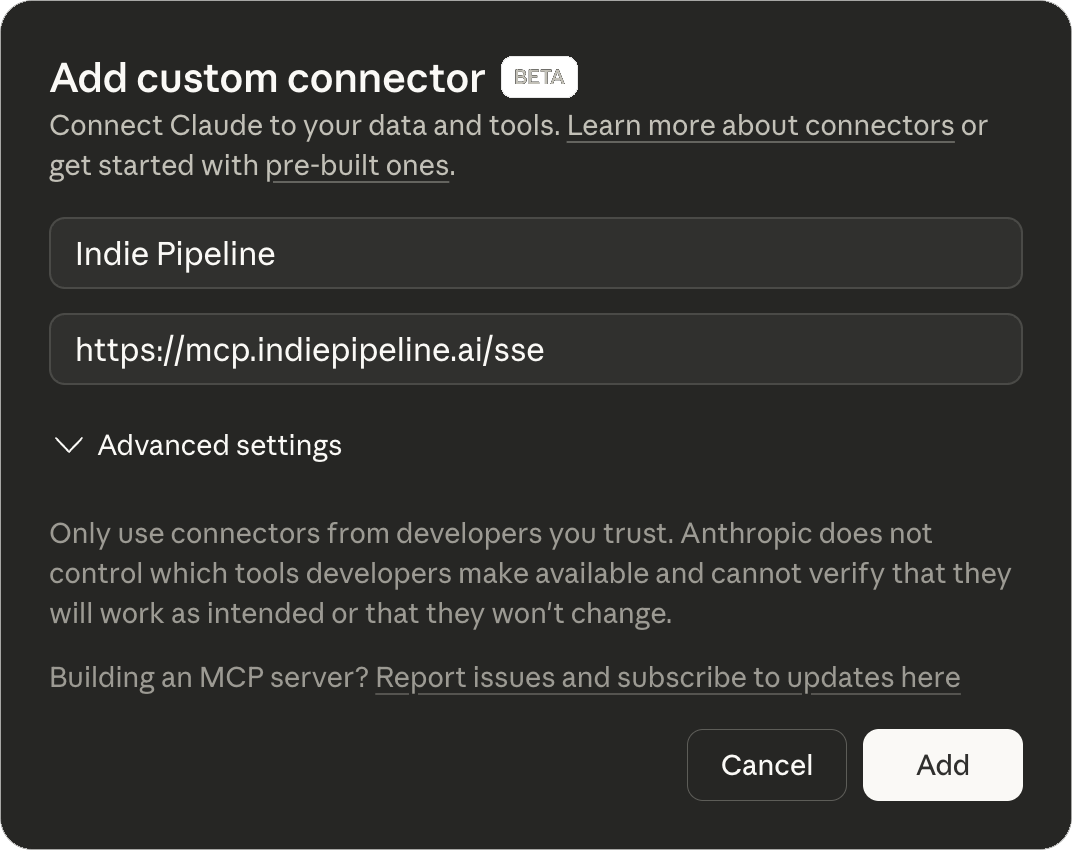
Add Custom Connector
In Claude.ai, go to Settings → Connectors → Add custom connector
https://mcp.indiepipeline.ai/mcp
Click Connect
Find Indie Pipeline in your connectors list and click Connect
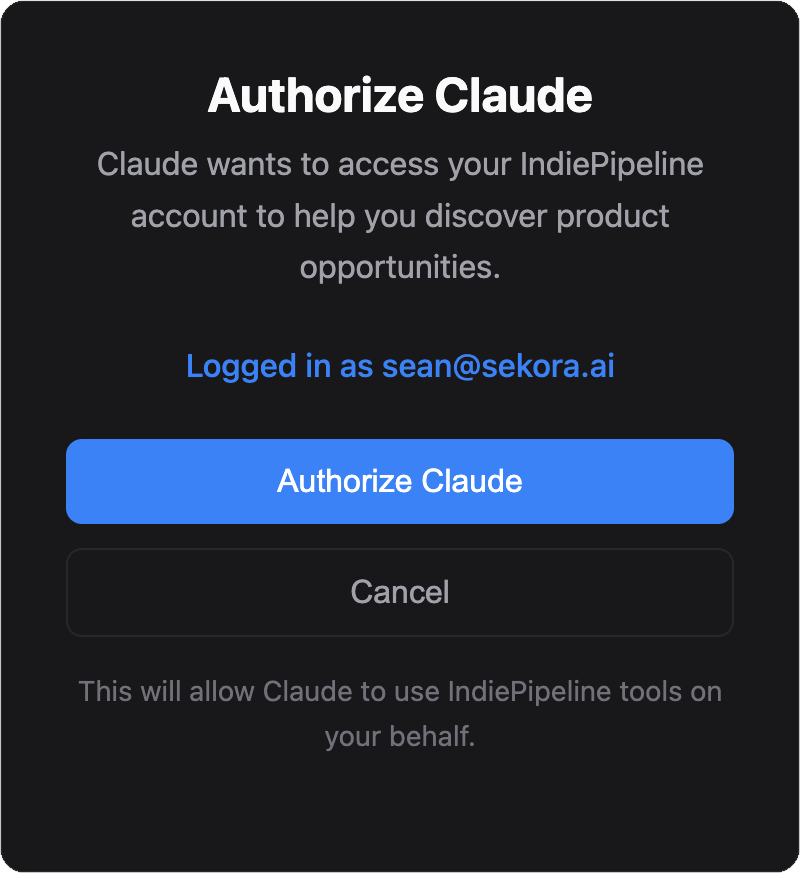
Authorize Claude
Sign in to IndiePipeline (or create a free account), then click Approve
Start Discovering
You're all set! Start a new conversation with Claude and ask it to find product opportunities.
Example: Finding Your Next Product Idea
Here's a real workflow using IndiePipeline with Claude Code to discover, validate, and plan a product opportunity.
Use Smart Scan to Explore a Niche
Start by asking Claude to scan communities in your area of interest. Smart scan automatically finds relevant communities and surfaces pain points.
Dig Deeper Into a Promising Idea
Once you spot an interesting opportunity, ask Claude to investigate further with a focused community scan.
Generate a Next Steps Document
With validated insights, ask Claude to create an actionable plan for moving forward.
Ready to find your opportunity?
Connect IndiePipeline to Claude and start exploring niches in minutes.
Setup Claude Code in 3 Steps
Connect IndiePipeline to Claude Code CLI
Add the MCP Server
Run this command in your terminal:
claude mcp add --transport http indiepipeline https://mcp.indiepipeline.ai/mcpSign In
In Claude Code, run /mcp, select indiepipeline and choose Authenticate. Your browser opens: sign in to IndiePipeline and click Approve.
Using another MCP client? (Hermes Agent, Cursor, and others)
Any client that supports Streamable HTTP with OAuth can connect to https://mcp.indiepipeline.ai/mcp. It opens your browser so you can sign in and approve the connection. API keys and the older SSE transport are not supported.
Hermes Agent: add this to ~/.hermes/config.yaml, then run hermes mcp login indiepipeline.
mcp_servers:
  indiepipeline:
    url: "https://mcp.indiepipeline.ai/mcp"
auth: oauthClaude Code project config (.mcp.json):
{
  "mcpServers": {
    "indiepipeline": {
      "type": "http",
      "url": "https://mcp.indiepipeline.ai/mcp"
    }
  }
}Restart Claude Code
Restart Claude Code to load the new MCP server. You can verify the connection by asking Claude to list available tools — you should see the IndiePipeline tools (smart_scan, discover_opportunities, etc.).
Alternative: Project-level configuration
You can also add the MCP server to a specific project with claude mcp add --scope project --transport http indiepipeline https://mcp.indiepipeline.ai/mcp, which writes a .mcp.json file in your project root.
Ready to discover your next product idea?
Create a free account and connect IndiePipeline to Claude in under a minute.